Payment Link and Coupon Loss Guard · Stripe App

Payment Link and Coupon Loss Guard.

Check active Payment Links, Coupons, and coupon codes for old links, monthly/yearly price mix-ups, currency or trial differences, checkout mismatches, and discounts with no clear end or use limit. The app never edits Stripe.

$19/month or $190/year 7-day free trial
Runs inside Stripe Read-only You make every change
Read-only Stripe review
See which active links, coupons, and codes need review. Nothing changes until you edit it in Stripe.
Full app guide

Need the complete Payment Link and Coupon Loss Guard details?

Read the app-specific guide for every check, how comparisons work, read-only limits, setup, billing, and support.
Read the full app guide
What it catches

See the specific links, discounts, prices, and checkout settings worth checking.

01

Old active links

Find active Payment Links older than your chosen review age, plus active links that differ from related links for the same product or offer.

02

Risky discounts and codes

Find 100% discounts, discounts without product limits, lifetime subscription discounts, codes open to any customer, and discounts with no end or use limit.

03

Pricing and checkout mistakes

Find possible monthly/yearly amount mistakes, mixed currencies, one-time versus subscription links, trial differences, tax differences, and checkout mismatches.

Inside the app

Open Payment Links or Coupons to see the exact items and settings that need review.

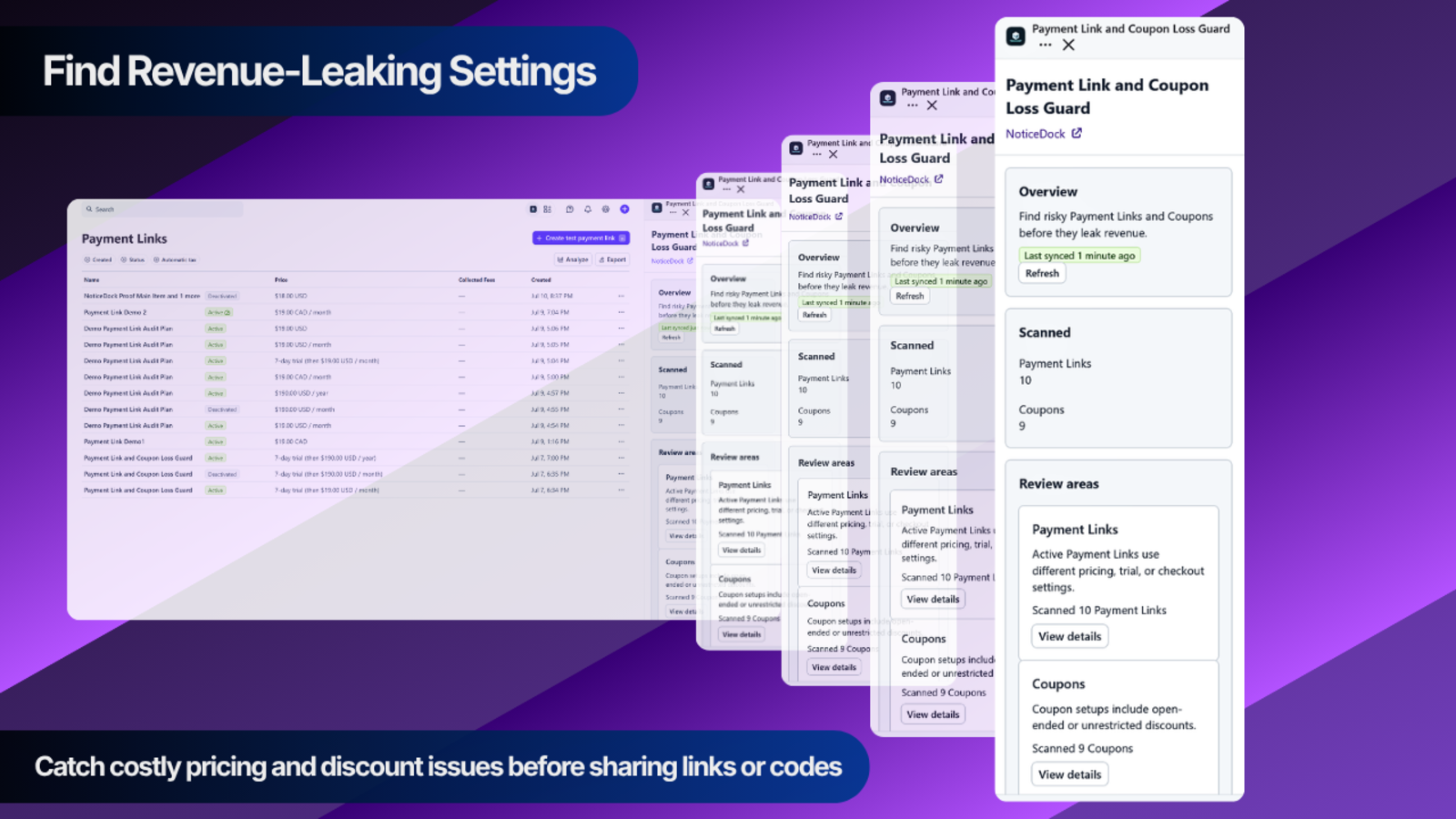
Payment Link and Coupon Loss Guard showing scanned Payment Links and Coupons inside Stripe
The app shows scan totals, grouped Payment Link differences, coupon risks, and the checkout settings that differ across active links.
What it checks

Review the checks the app actually runs against your active Stripe setup.

  • Old active Payment Links based on your chosen review age
  • Possible monthly/yearly price mistakes and mixed billing schedules
  • Currency, trial, tax, payment method, address, phone, and customer collection differences
  • Coupons and coupon codes with unusually broad discounts, access, or duration
How it works

Refresh the scan, review the item, update Stripe.

  1. 1
    Open the app in StripeOpen the app for the Stripe account you want to check, then press Refresh.
  2. 2
    Open what needs reviewOpen Payment Links or Coupons to see the exact link, discount, code, or setting behind each result.
  3. 3
    Update Stripe directlyMake the intended change in Stripe, then refresh the app to confirm the result changed.
Also manage overdue follow-up

Billing Ops

See overdue invoices in one list, edit follow-up messages, and keep notes, contacted status, and payment arrangements beside each invoice.